How to arrange network cabinet cabling
Proper network cabinet cabling ensures organized, maintainable, and scalable network infrastructure while preventing overheating and signal issues.
Planning and Preparation
Before laying any cables, plan the cabinet layout carefully. Identify which devices (switches, patch panels, routers, servers) will be installed, the number of ports required, and any redundancy or fail-safe needs. Measure cable distances accurately to avoid excess slack or tension, and select professional-grade cables (Cat5e, Cat6, Cat6a, or Cat7) suitable for your network speed and future growth .
Cable Routing and Organization
- Separate power and network cables to reduce interference, routing them from different directions and securing with zip ties .
- Use cable management accessories such as horizontal and vertical cable organizers, cable trays, and Velcro straps to maintain neatness.
- Secure switches and patch panels at the top or middle of the cabinet to facilitate efficient cable routing .
- Maintain airflow by keeping vents unobstructed to prevent overheating and equipment failure .
Labeling and Documentation
- Label each cable clearly with its destination port, device, and asset number. Use printed labels and affix them on both ends of the cable for easy identification .
- Document the network layout including ports, IP addresses, VLANs, and connected devices. This ensures compliance with standards like ISO/IEC 27001 and simplifies troubleshooting and future expansion .
Installation Steps
- Position wall plates and cut precision holes if running cables through walls, ensuring structural integrity .
- Run cables through the cabinet infrastructure, avoiding sharp bends and excessive tension. Maintain consistent bend radius to prevent signal degradation .
- Terminate cables at patch panels and switches using proper connectors and tools. Test each connection for performance and reliability .
- Bundle and secure cables neatly, keeping similar types together and leaving room for future additions .
Testing and Optimization
After installation, test all connections using professional network testers to verify signal integrity, speed, and connectivity. Adjust cable routing if necessary to optimize airflow and accessibility. Finally, configure network devices and ensure the cabinet layout supports easy maintenance and scalability .
Best Practices
- Plan for future growth by leaving extra cable length and space in the cabinet .
- Avoid mixing different cable types in the same bundle to reduce interference .
- Regularly review and update documentation to reflect any changes in the network .
- Follow safety guidelines, including disconnecting power before handling electrical components . By following these steps, your network cabinet will be organized, efficient, and ready for future expansion, minimizing downtime and maintenance challenges while ensuring compliance with industry standards .
 Factory
 Server Rack Layout Best Practices — Data Room Equipment Planning
How to plan a server rack installation in your data center? 🔥 Best practices for network cabinet arrangement ⚡️ Learn some Expert
 Factory
 How to Plan Cabling for In-Wall Network Cabinets: The Complete
Planning cabling for an in wall network cabinet can feel overwhelming. However, with the right approach, you can create a system
 Factory
 The Ultimate Guide to Setting Up a Home Network Wiring Cabinet
The home network wiring cabinet is a dedicated space in your house where you can organize and centralize all the necessary
 Factory
 Network cabinet placement and wiring tips
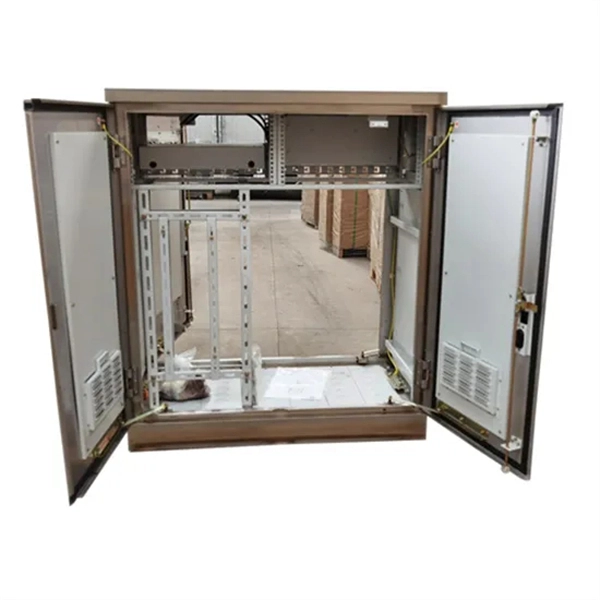
To put it bluntly, the cabinet cable rack is a 1U or 1SU sheet metal part with N teeth. The length of the teeth can be long
 Factory
 Cabinet Wiring:Everything you must know
Here are some tips for organized cabinet wiring: 1.1 Ensure that the air conditioning vent of the cabinet is open to prevent equipment
 Factory
 How to Wire Your Home Network Like a Pro in 2026 — The Complete
Home-run topology is the standard. Every drop point (wall jack, ceiling access point location, desk outlet) runs its own
 Factory
 The Ultimate Guide to Setting Up a Home Network Wiring Cabinet
In this ultimate guide, we will walk you through the step-by-step process of setting up a home network wiring cabinet. We will discuss
 Factory
 LAN Cable arrangement in Server rack
Time and planning, I''ve been dealing with cabling for over 20 years and almost every rack, cabinet, or closet that I ever
 Factory
 Network Cabinet & Rack-Management Best Practices | ACCL
Network Cabinet & Rack-Management Best Practices Tiny rooms, huge consequences A network cabinet looks innocuous: a black
 Factory
 APPLYING PROPER CABLE MANAGEMENT IN IT RACKS
Network cabinets house network switches and patch panels. These cabinets have the highest concentration of cabling in the data